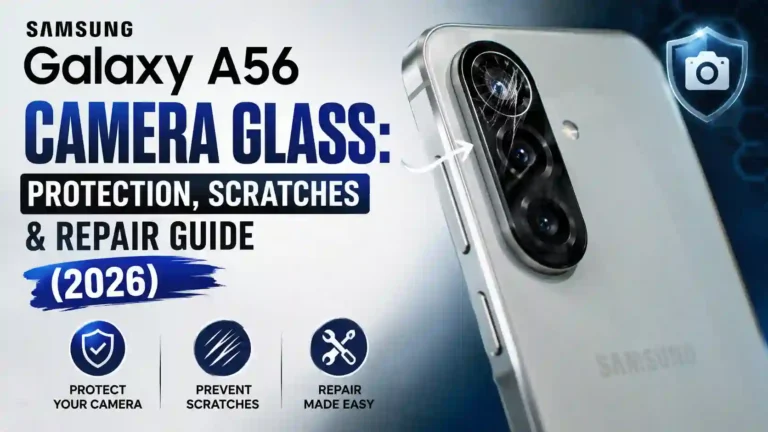
Samsung Galaxy A56 Camera Glass Protection, Scratches & Repair Guide
Picture this: your phone has been in your pocket all day, nothing dramatic has happened, and then one evening you catch a weird glint on the back under a lamp. A thin line, right across the main camera lens. No drop, no obvious accident — just an ordinary day.
Finding your Samsung Galaxy A56 camera glass scratched is one of the most common complaints owners bring up in forums and repair-shop reviews. It is rarely a dramatic drop that causes it. Instead, small everyday habits — keys in the same pocket, setting the phone face-up on a table, pocket grit — add up over weeks.
This guide walks through why the Samsung Galaxy A56 camera glass is vulnerable, how to tell if Galaxy A56 camera glass is scratched in a way that affects your photos, how to protect Samsung Galaxy A56 camera glass, what your replacement options look like, and what to realistically expect regarding the Samsung Galaxy A56 camera glass repair cost. Wherever a claim depends on your specific region or carrier, we have flagged that clearly for complete transparency.
If you just picked up your device, exploring the first things to do on Samsung Galaxy A56 will help you set up essential device safeguards right out of the box.
Why Samsung Galaxy A56 Camera Glass Scratches So Easily
The Galaxy A56 features a raised camera module on the back, echoing the modern design language of flagship Galaxy devices. While the rear panel uses durable Corning Gorilla Glass Victus+, the Samsung A56 camera glass sitting on that raised bump remains one of the primary points of contact whenever the phone rests face-up on a hard surface.
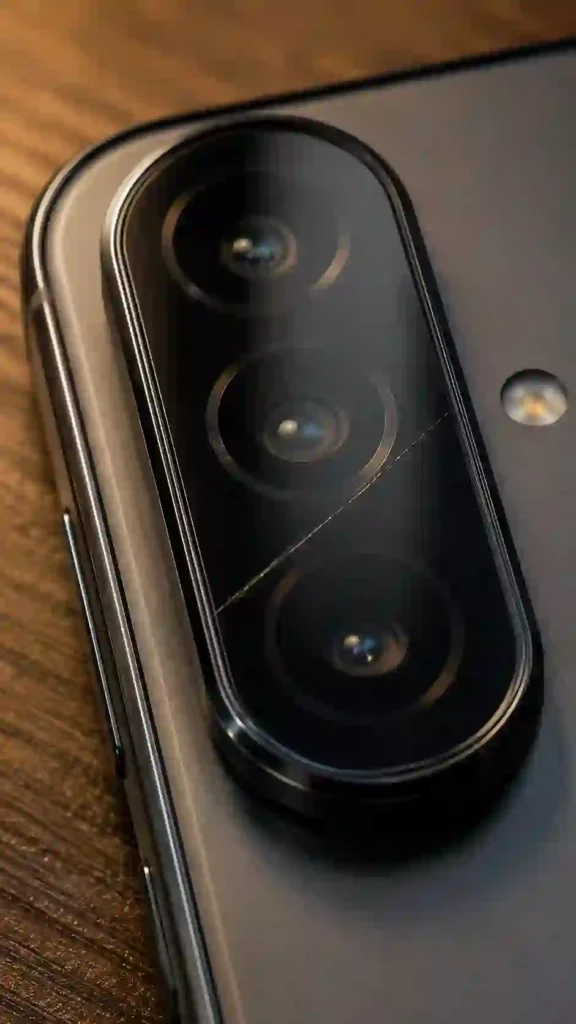
When you set the phone down on a table, slide it into a bag, or carry it in a pocket with keys and coins, that elevated area absorbs friction first. Combined with micro-particles like sand or pocket grit acting as fine abrasives, Galaxy A56 camera scratches can accumulate gradually without a single severe impact.
Although modern protective glass offers strong scratch resistance, it is not scratch-proof against sharp materials or repeated surface friction over time.
Camera Cover Glass vs Camera Lens vs Image Sensor
Understanding the distinction between external cover glass, internal lens elements, and the image sensor helps clarify what kind of Galaxy A56 camera glass repair your phone might need.
| Component | What It Actually Is | What Happens If It’s Damaged |
|---|---|---|
| Camera Cover Glass | The external protective Galaxy A56 camera lens glass panel visible on the back panel. | Usually causes minor surface scratches, glare, or haze; often the easiest and most affordable part to repair. |
| Optical Lens | The internal optical lens elements behind the cover glass, built into the camera module. | Causes focal distortion, permanent Galaxy A56 camera blur, or soft spots; requires replacing the full camera module. |
| Image Sensor | The internal digital sensor converting incoming light into image data. | Causes severe artifacts, dead pixels, color distortion, or total camera failure; requires a complex internal module replacement. |
In the vast majority of cases where owners discover their Samsung Galaxy A56 camera glass broken or scratched on the surface, the internal optical components remain completely intact.
How to Tell If Galaxy A56 Camera Glass Is Scratched & Affecting Photos
Before seeking out a Samsung Galaxy A56 camera glass replacement, test whether the mark actively degrades photo quality or remains strictly cosmetic.
- Clean the lens thoroughly: Knowing how to clean Samsung Galaxy A56 camera glass properly prevents confusing fingerprints or lint with physical damage. Use a dry microfiber cloth to wipe the surface completely clean.
- Photograph a uniform background: Point the camera at a flat, evenly lit surface such as a white wall or clear sky. Uniform backgrounds highlight localized blur, haze, or dark artifacts.
- Inspect image details closely: Zoom into the area of the captured image corresponding to the scratch position. Check if sharpness remains uniform across the frame.
- Test across camera sensors: Select the primary 50MP sensor, ultra-wide lens, and macro lens independently. Since each lens has dedicated cover space, a scratch over one lens will not impact the others. You can also fine-tune your main camera parameters by following our guide to optimized Samsung Galaxy A56 camera settings.
- Check for light flare and glare: Shoot toward a direct light source, such as a lamp or streetlight. Surface scratches scatter incoming light rays, creating unexpected flare or haze in high-contrast scenarios. For low-light testing tips, refer to our guide on Galaxy A56 Night Mode tips.
- Compare multiple angles: Take a quick series of shots while slightly tilting the phone to determine whether light artifacts appear consistently or only under specific lighting angles.
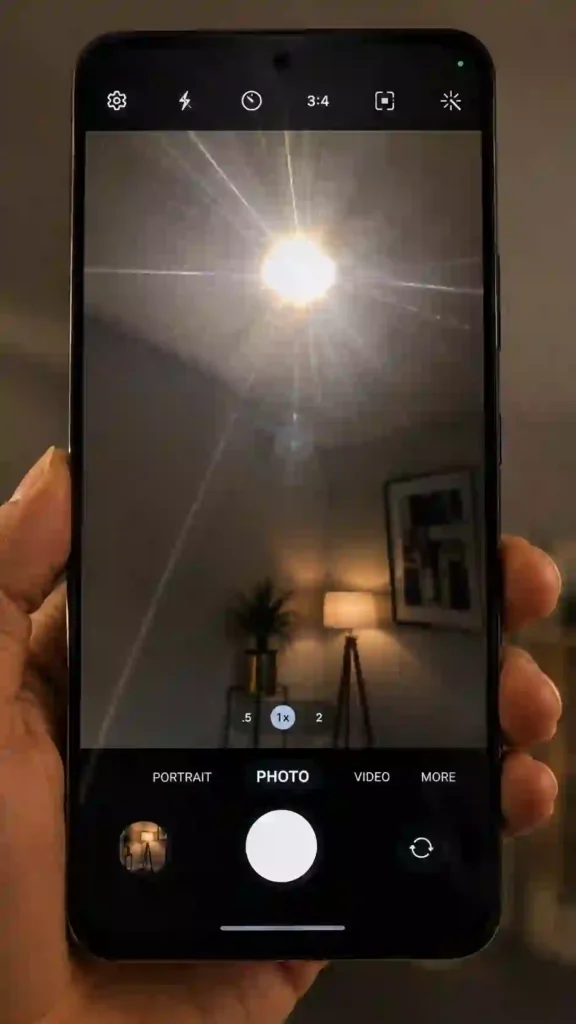
If your test photos look sharp across all conditions, the scratch is cosmetic. If noticeable haze or light bleeding persists, replacing the protective glass will help improve Samsung Galaxy A56 camera quality.
Samsung Galaxy A56 Camera Glass Quick Specs
| Detail | Information |
|---|---|
| Device Model | Samsung Galaxy A56 5G |
| Rear Camera Setup | Triple Camera: 50MP Main (OIS, f/1.8), 12MP Ultra-Wide (f/2.2), 5MP Macro (f/2.4) |
| Front Camera | 12MP (f/2.2) |
| Rear Glass Material | Corning Gorilla Glass Victus+ |
| Primary Hazards | Pocket grit, direct surface contact, key friction |
| Protector Price Range | ~$2 – $10 USD for dedicated tempered glass (varies by market) |
| Official Specifications | Verified via GSMArena technical datasheets |
How to Protect Samsung Galaxy A56 Camera Glass
Practicing effective Galaxy A56 camera protection preserves long-term camera clarity and maintains re-sale value.
- Install a specialized Galaxy A56 camera protector: Installing a tempered-glass Samsung Galaxy A56 camera glass protector provides a dedicated barrier over the raised module, taking the impact of daily friction instead of the original lens cover.
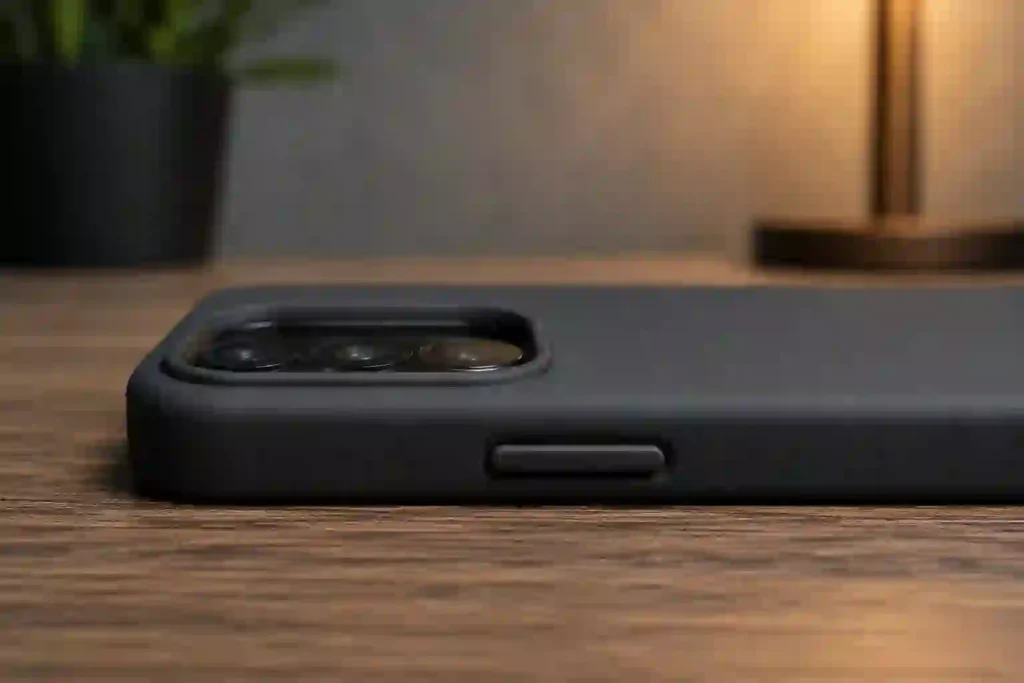
- Select a protective case with raised bezels: Pair your device with a durable Samsung Galaxy A56 back cover that features elevated rims around the camera island. Raised edges keep the camera glass elevated off flat surfaces.
- Keep pockets separated: Reserve one pocket exclusively for your smartphone, keeping keys, loose change, and metal tools in a separate pocket or bag compartment.
- Wipe away surface dust regularly: Wipe dust from the lens before placing the phone in tight pockets to prevent gritty particles from acting like sandpaper against the glass.
- Avoid DIY protective hacks: Avoid applying clear tape, liquid coatings, or unverified polishes to the lens. Unofficial coatings degrade optical clarity and leave stubborn residue.
To protect your front display alongside your rear camera, consider installing a high-quality Samsung Galaxy A56 screen protector for full-body coverage.
Step-by-Step: Applying a Samsung Galaxy A56 Camera Lens Protector
Applying a dedicated Galaxy A56 camera lens protector correctly ensures maximum protection without introducing air bubbles or lint.
[Clean Lens Surface] ➔ [Select Low-Dust Area] ➔ [Remove Dust Specks] ➔ [Align Protector] ➔ [Press & Smooth] ➔ [Test Photo Quality]
- Clean the camera surface: Wipe down the rear module with an alcohol cleaning wipe followed by a lint-free microfiber cloth.
- Work in a clean space: Select a room away from air currents, open windows, or dusty fabrics to prevent floating particles from settling during application.
- Lift micro-dust: Use a dust-removal sticker to gently dab the entire surface of the Galaxy A56 camera lens glass.
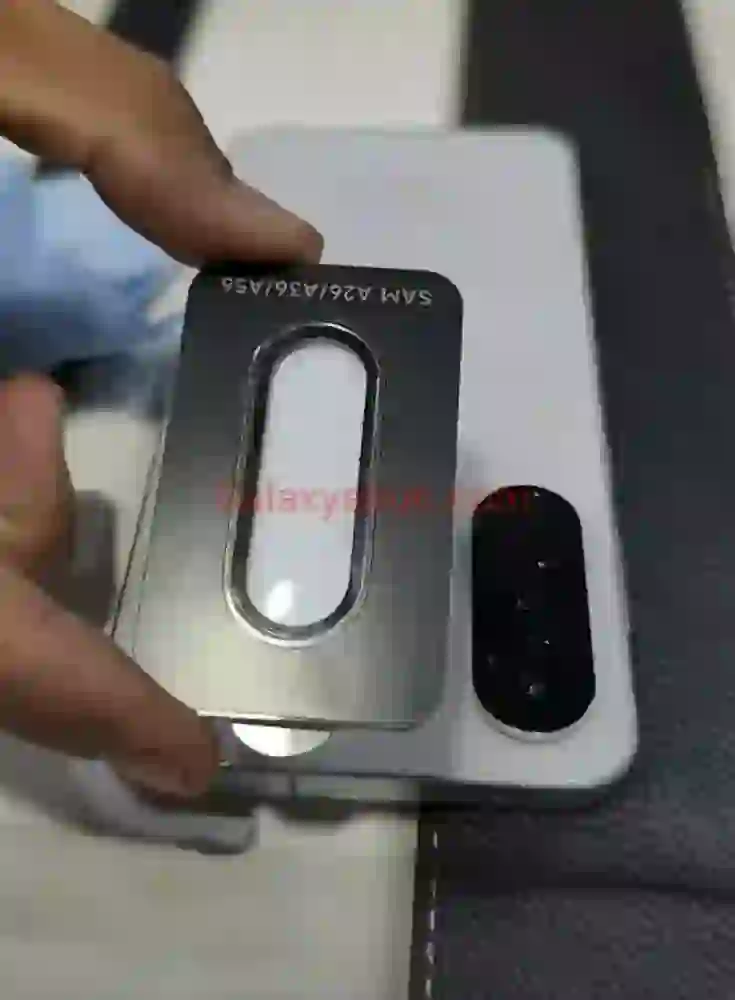
- Align accurately: Line up the protector using the precise cutout holes for each lens module rather than aligning solely by outer borders.
- Smooth out trapped air: Press down firmly at the center and push outwards toward the edges using a squeegee card to eliminate air pockets.
- Inspect under light: Angle a small light source across the camera module to verify that no dust specks or air bubbles remain trapped beneath the guard.
- Verify optical clarity: Take sample photos in bright daylight and artificial lighting to ensure the new guard preserves clear focus.
What to Do If Your Samsung Galaxy A56 Camera Glass Is Scratched or Broken
When you notice a Samsung Galaxy A56 camera glass scratched or cracked, follow this structured troubleshooting workflow:
- Assess depth: Lightly glide a fingernail over the mark. If your nail catches noticeably, the crack or scratch is deep; if it slides smoothly, it is likely a minor surface scuff.
- Run photo test: Perform the camera test steps outlined above to determine whether photo output is compromised.
- Apply a protector for cosmetic marks: If the scratch does not show up on photos, applying a Galaxy A56 camera protector seals the area and prevents the mark from expanding.
- Address structural cracks: If your Samsung Galaxy A56 camera glass broken completely or exhibits deep spiderweb cracks, avoid pressing on the glass to prevent glass shards from penetrating the internal optical module.
- Avoid DIY glass polishes: Do not use abrasive polishing pastes or chemical scratch-repair kits on the glass, as these strip optical anti-reflective coatings and cause permanent image cloudiness.
External Glass Replacement vs Full Camera Module Replacement
Before booking a service appointment, clarify which specific repair your phone requires:
                  ┌──────────────────────────────────────────────┐
                  │ Does your photo show optical distortion,    │
                  │ permanent blur, or camera error codes?       │
                  └──────────────────────┬───────────────────────┘
                                         │
                        ┌────────────────┴────────────────┐
                        ▼                                 ▼
                     [ YES ]                           [ NO ]
                        │                                 │
                        ▼                                 ▼
      ┌───────────────────────────────────┐ ┌───────────────────────────────────┐
      │ Full Camera Module Replacement    │ │ External Glass-Only Replacement   │
      │ Replaces optical lenses & sensor. │ │ Replaces outer protective glass.  │
      └───────────────────────────────────┘ └───────────────────────────────────┘
- External Glass-Only Replacement: Ideal when only the outer protective surface is scuffed or cracked, while image focusing and sensor performance remain completely normal.
- Full Camera Module Replacement: Necessary when the internal lens components are damaged, resulting in persistent Galaxy A56 camera blur, focus failures, or visible hardware errors inside the camera application.
Galaxy A56 Camera Glass Repair Options in 2026
When planning a Galaxy A56 camera repair, you have four primary service pathways:
- Official Samsung Service Center: Provides genuine OEM parts, preserves factory water resistance standards, and maintains existing manufacturer warranty coverage. You can schedule an appointment via official Samsung Support.
- Samsung Authorized Repair Partners: Authorized facilities utilize certified tools and authentic components, often offering faster local turnaround times.
- Independent Local Repair Shops: A cost-effective alternative for out-of-warranty repairs. If choosing an independent shop for Galaxy A56 camera glass replacement, confirm that they use high-grade glass designed specifically for camera clarity rather than low-cost acrylic substitutes.
- DIY Replacement Kits: Available for experienced users through online parts sellers. However, replacing camera glass manually involves applying measured heat to loosen factory adhesives near delicate internal sensors, carrying inherent risk for inexperienced users.
Samsung Galaxy A56 Camera Glass Repair Cost Guidance
The actual Samsung Galaxy A56 camera glass repair cost varies based on key service parameters:
- Regional service pricing: Local labor rates and currency conversions vary significantly across international markets.
- Repair scope: Standalone external cover glass swaps cost substantially less than replacing complete internal multi-sensor camera assemblies.
- Provider classification: Official service centers charge higher baseline rates than third-party local repair shops but offer guaranteed original components.
- Extended protection plans: If you hold active Samsung Care+ coverage or third-party device insurance, deductible fees apply based on your tier policy.
For precise quotes, request an official assessment directly through Samsung Support or consult accredited local service centers in your region.
Does Galaxy A56 Camera Protector Affect Photo Quality? & Common Mistakes
A common question among owners is: does Galaxy A56 camera protector affect photo quality?
When you select a high-quality, optical-grade tempered glass protector engineered specifically for the device layout, photo clarity remains unaffected. However, low-quality or poorly designed accessories can introduce optical defects.
Common Mistakes to Avoid:
- Using generic or mismatched protectors: Installing a cover designed for another phone model can obstruct sensor cutouts or cause edge vignetting on ultra-wide shots.
- Ignoring minor micro-cracks: Allowing small cracks to sit unaddressed lets moisture and pocket dust enter the camera housing over time.
- Selecting cases without raised lips: Using ultra-thin flat cases leaves the camera module flush with flat surfaces, increasing surface friction.
- Cleaning with rough materials: Wiping glass with paper towels or rough clothing fibers leaves micro-abrasions over time. Always use a clean microfiber cloth.
- Assuming standard warranties cover scratches: Standard manufacturer warranties cover internal hardware defects, while cosmetic scuffs or accidental drops typically require extended insurance coverage like Samsung Care+.
Helpful Everyday Tips
- Keep a clean microfiber cloth stored in your bag or car for safe, smudge-free lens cleaning on the go.
- Inspect your camera module periodically under bright light to detect surface wear early.
- Set your device face-down on flat surfaces only when it is protected by a case with a raised front lip.
- Replace worn camera protectors every 6 to 12 months to maintain maximum transparency and protection.
Pros & Cons of Repairing vs Living With It
Repairing the Camera Glass
- Pros:
- Restores pristine photo sharpness across all lighting conditions.
- Eliminates light flare during night shooting and bright light capture.
- Protects overall device trade-in value and resale appeal.
- Cons:
- Requires financial outlay for parts and repair labor.
- Involves device downtime while being serviced at a repair center.
Living With Cosmetic Scratches
- Pros:
- Zero repair expense or repair turnaround downtime.
- Completely fine if test photos show no visible optical artifacts.
- Cons:
- Unaddressed cracks can allow dust or moisture to creep into internal components.
- Visible physical damage reduces potential trade-in valuation later on.
FAQs
Does Samsung standard warranty cover a scratched camera lens?
Standard warranties generally cover manufacturing defects rather than cosmetic wear or accidental scratches. Check your local warranty documentation or active Samsung Care+ terms for specific coverage details.
Can I replace just the camera glass without replacing the whole back panel?
Yes, depending on your repair center’s service procedures, the external cover glass can often be replaced as an individual component without replacing the complete rear housing.
Will a scratched lens always show up in my photos?
No. Shallow surface scratches often remain invisible in daylight photography and only show up as minor light flare when shooting directly into bright light sources.
Are camera lens protectors worth installing on the Galaxy A56?
Yes. High-quality tempered glass protectors take the wear from daily surface contact, allowing you to easily replace a $5 guard instead of booking a professional hardware repair.
How can I tell if the scratch is on the outside glass or internal lens?
If photo focusing operates normally and light dabbing with a fingernail catches on the surface, the mark is on the external glass. If photos suffer from internal blur or focusing errors despite a smooth outer glass, internal optics may be damaged.
References
- Samsung Galaxy A56 5G Official Technical Overview — Samsung Support
- Device Hardware Specifications & Camera Configuration — GSMArena
- Protective Glass Durability Standards — Corning Gorilla Glass