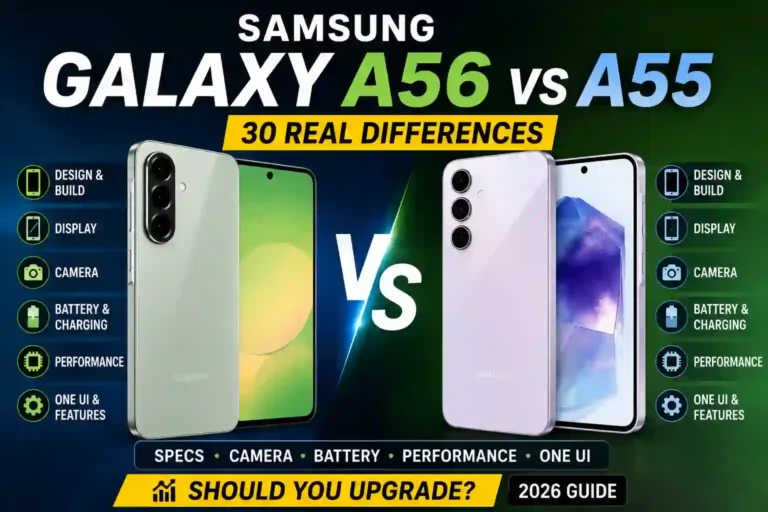
Samsung Galaxy A56 vs A55 Comparison: 30 Real Differences in Specs, Camera, Battery, Performance & Should You Upgrade? (2026)
My cousin messed up her phone upgrade last year, and I watched it happen in real time.
She had a perfectly good Galaxy A55, but the salesman at the store kept pushing the “new A56, only a bit more money” line. She caved, paid the difference, and about two weeks later she called me asking why her selfies suddenly looked worse than before.
That’s the thing nobody tells you about these two phones. On paper, a samsung galaxy a56 vs a55 comparison looks like a straightforward upgrade story. In real life, it’s a mixed bag — some things genuinely got better, a couple of things quietly got worse, and most people don’t even notice the trade-offs until they’re already stuck with the device.
I’ve spent time with both devices, dug through the actual a55 vs a56 specs side by side, and talked to a few people who switched. Here’s everything I found, laid out the way I’d explain it to a friend standing next to me in a phone shop.
Quick Specs Table
| Feature | Galaxy A55 | Galaxy A56 |
|---|---|---|
| Release date | March 2024 | March 2025 |
| Display | 6.6″, Super AMOLED, 120Hz, ~1000 nits | 6.7″, Super AMOLED, 120Hz, up to 1900 nits |
| Chipset | Exynos 1480 | Exynos 1580 |
| Rear cameras | 50MP main (OIS) + 12MP ultrawide + 5MP macro | 50MP main (OIS) + 12MP ultrawide + 5MP macro |
| Front camera | 32MP | 12MP |
| Battery | 5000mAh | 5000mAh |
| Charging | 25W wired | 45W wired (Super Fast Charge 2.0) |
| Build | Glass back, plastic frame | Glass back, aluminum frame, Gorilla Glass Victus+ |
| MicroSD slot | Yes | No |
| Software at launch | Android 14, One UI 6.1 | Android 15, One UI 7 |
| Update promise | 4 years OS + security | 6 years OS + security |
| Weight | 213g | 198g |
| Launch price | ~$489 (8/128GB) | ~$499 (8/128GB) |
Now let’s actually break down what these numbers mean day to day.
Design: Small Changes That Actually Matter
The A56 feels different in the hand the moment you pick it up, and it’s not just marketing spin.
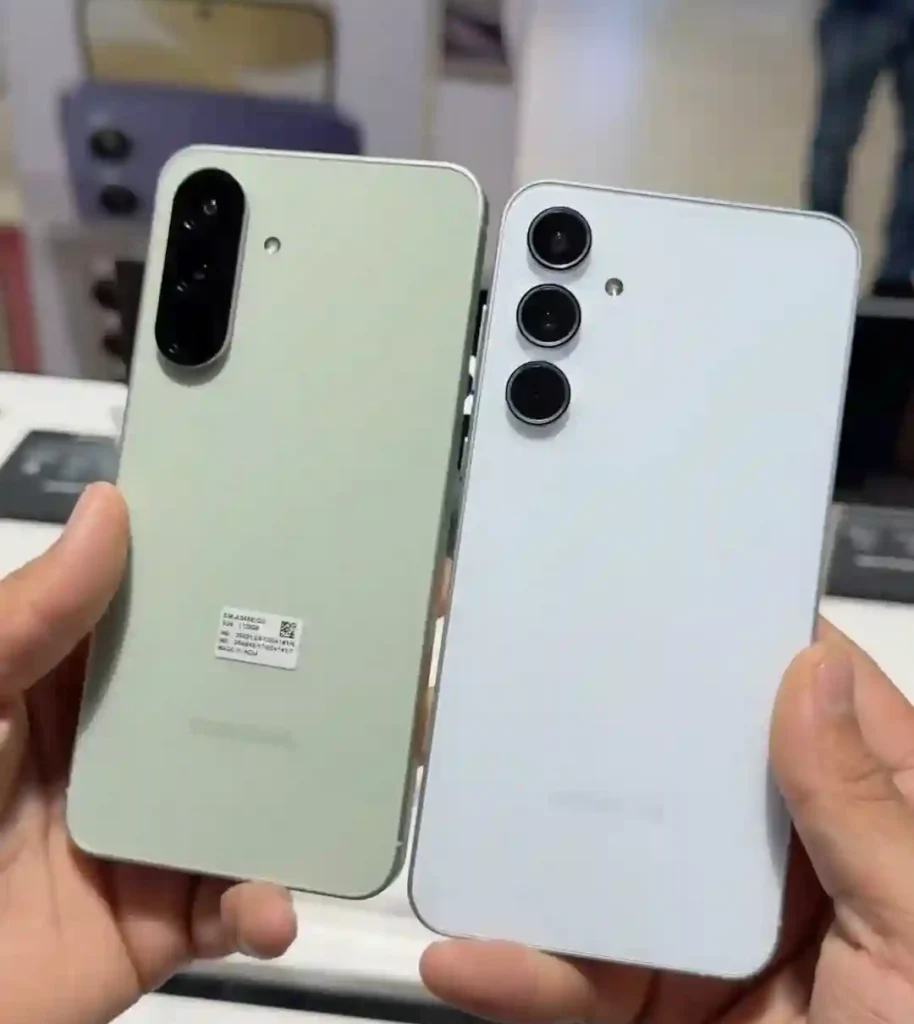
When you look at the a56 samsung vs a55 build layout, Samsung swapped the plastic frame on the A55 for an actual aluminum frame on the A56, plus Gorilla Glass Victus+ on both the front and back instead of just the front. That’s a real, noticeable upgrade in how premium the phone feels — it doesn’t creak or flex the way some mid-rangers do. Because of the updated camera layout and dimensions, you’ll definitely want to grab a dedicated Samsung Galaxy A56 back cover rather than trying to reuse old cases.
Weirdly, despite the bigger screen, the A56 is also about 15 grams lighter than the A55. I didn’t believe this until I held both back to back. It’s a small thing, but after a few hours of scrolling, lighter really does feel better.
The one thing you lose: the microSD card slot is gone on the A56. If you’re someone who dumps thousands of photos onto expandable storage instead of paying Samsung’s cloud storage prices, this makes the samsung a55 vs a56 difference a genuine downgrade, not just a nitpick. Both phones keep the IP67 rating, so dust and water resistance is a wash.
Display: The A56 Wins, But Not by as Much as the Specs Suggest
Evaluating the samsung galaxy a55 5g vs a56 5g screens side-by-side reveals that the A56 bumps the screen from 6.6 inches to 6.7 inches and raises peak brightness dramatically. Samsung’s numbers go from around 1000 nits on the A55 to as high as 1900 nits on the A56.

In practice, this matters most outdoors. I tested both phones side by side in direct afternoon sun, and the A56’s screen stayed readable noticeably longer before I had to cup my hand over it. Indoors, honestly, you’d struggle to tell the two apart in a standard galaxy a55 vs galaxy a56 matchup.
Both still use Super AMOLED panels with a 120Hz refresh rate and FHD+ resolution, so scrolling smoothness is identical. This isn’t a resolution or refresh rate upgrade — it’s purely a brightness and size bump, plus tougher Gorilla Glass Victus+ protection on the front for the newer model.
Camera: This Is Where the “Upgrade” Story Falls Apart a Bit
Here’s the part that surprised me the most, and it’s exactly what happened to my cousin when she compared her samsung galaxy a56 5g vs a55 camera performance.
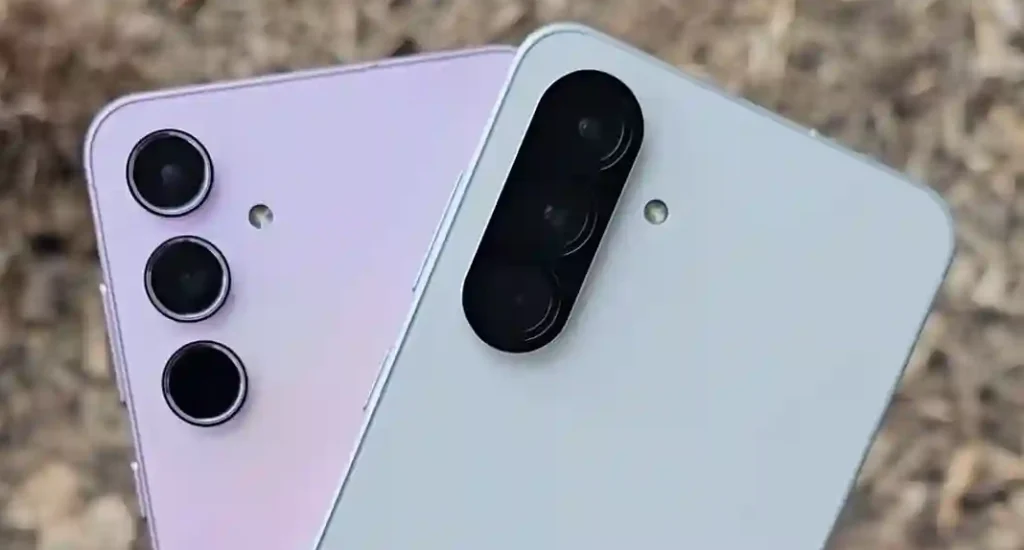
The rear camera setup is basically identical between the two phones — same 50MP main sensor with OIS, same 12MP ultrawide, same 5MP macro lens. Samsung didn’t touch the hardware here at all. What changed is the image processing, since the A56 runs on the newer Exynos 1580 chip with an upgraded AI image signal processor.
That means daylight photos look very close between the two, with the A56 having a slight edge in noise handling and low-light shots thanks to software processing, not new hardware. To get the most out of the newer processing engine, tweaking your Samsung Galaxy A56 camera settings makes a huge difference, especially when deploying specialized Samsung Galaxy A56 night mode tips to clean up shadow detail.
The real change in the a55 vs a56 camera ecosystem — and the one that annoys a lot of buyers — is the front camera. The A55 has a 32MP selfie camera, while the A56 dropped that to 12MP. Samsung’s argument is that the 12MP sensor has larger pixels and better low-light performance. In tricky lighting, the A56 selfies do look a bit cleaner. But in good light, a lot of people actually prefer the extra crisp detail from the A55’s 32MP shots, especially if you like cropping into photos. If selfies are your main use case, this is not a clean upgrade.
Battery & Charging: The A56’s Clearest Win
Both phones use the same 5000mAh capacity battery, so battery life across a normal day is pretty similar — both comfortably get through a full day of moderate use for most people.
Where the galaxy a56 vs a55 narrative pulls ahead cleanly is charging speed. The A55 is stuck at 25W, which realistically takes close to an hour and twenty minutes to get to a full charge. The A56 jumps to 45W with Samsung’s Super Fast Charge 2.0, reaching around 65% in 30 minutes and a full charge in roughly an hour and eight minutes.
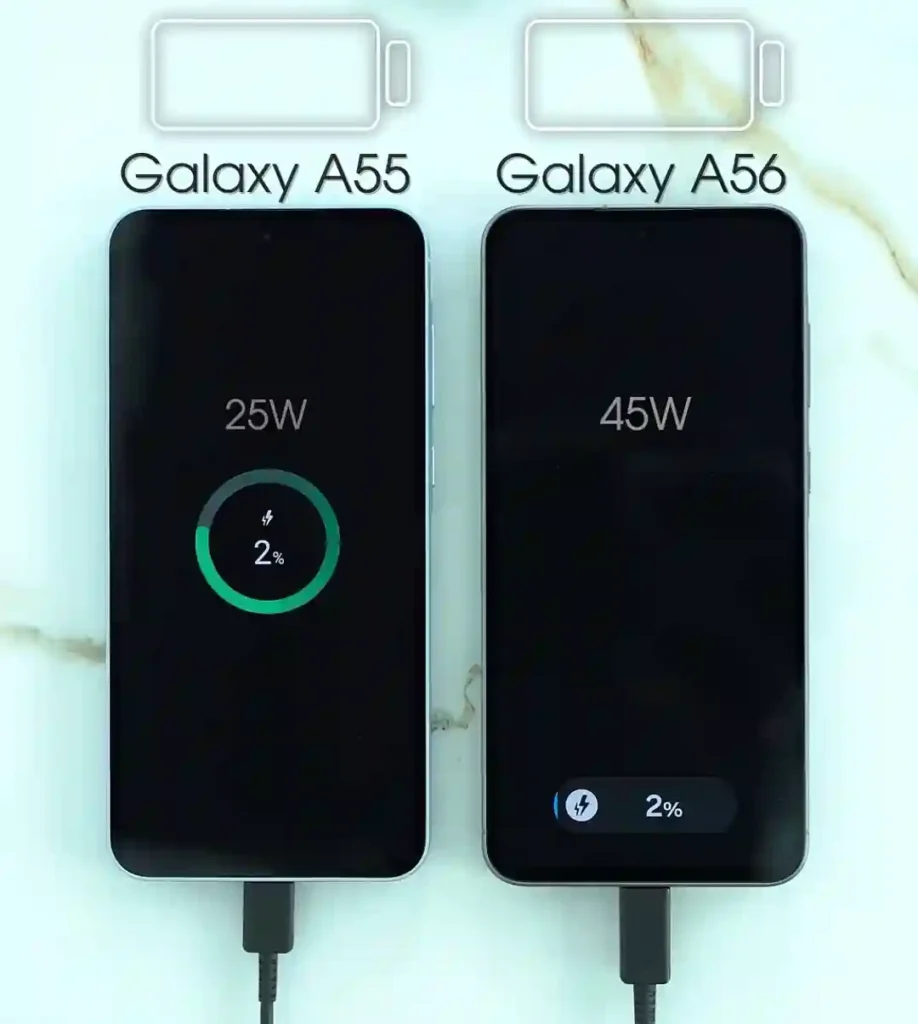
If you ever experience unexpected power draw on the newer chip, running through a Samsung Galaxy A56 battery drain fix sequence or learning how to improve Samsung Galaxy A56 battery life via system configurations will maximize your screen-on time. The 45W charging speed difference is genuinely useful in real life.
Performance: Real, But Modest
The A56’s Exynos 1580 chip is a step up from the A55’s Exynos 1480. When analyzing a performance-focused samsung a55 vs a56 comparison, Samsung’s own numbers put it at roughly 18% faster CPU performance, 17% faster GPU performance, and a 12% bump in NPU (AI processing) power.
In daily use — opening apps, switching between them, scrolling social media — you probably won’t feel much difference. Where it does show up is gaming and heavier multitasking, where the A56 stays smoother for longer and throttles less under sustained load. If you are torn between generations or tiers, reviewing a deep-dive like the Samsung Galaxy A56 vs A36: Which Should You Buy? guide helps put mid-range performance jumps into perspective. For light users, don’t expect the A55 to A56 jump to feel like a night-and-day change.
One UI & Software: The Actual Reason to Consider Upgrading
This is the upgrade that matters most long-term, and it’s the one people talk about the least when doing a samsung galaxy a56 vs a55 comparison.
The A56 launched with Android 15 and One UI 7, while the A55 shipped on Android 14 and One UI 6.1 (though it has since received updates). More importantly, Samsung committed to six years of OS and security updates for the A56, compared to roughly four years for the A55.
A phone that’s still getting security patches in 2031 versus one that stops years earlier is a real practical benefit. One UI 7 also brings a redesigned interface with more personalization options, and Circle to Search is built in from day one. To optimize your interface, you can explore the best One UI settings for Samsung A56 or unlock hidden depth via the Samsung Galaxy A56 hidden features manual along with our broader Samsung Galaxy A56 One UI hidden features list to tailor notifications and app layouts.
Common Mistakes People Make When Comparing These Two
- Assuming the camera got a full upgrade: It didn’t — the rear cameras are identical hardware. Don’t pay extra expecting dramatically better rear photos.
- Ignoring the selfie camera downgrade: If you’re a heavy selfie user, look closely at how the megapixel drop affects your typical cropped shots before making the switch.
- Forgetting about the microSD slot: If you rely on physical card storage expansion, double-check your local internal storage alternatives before buying the A56.
- Overpaying for a newer model when a new A55 is on sale: Retailers often discount the older generation heavily once the newer one launches.
Should You Actually Upgrade?
If you already own an A55, I wouldn’t rush to upgrade just for the sake of it. The camera hardware hasn’t changed, and unless you specifically need faster charging or care a lot about long-term software support, you’re not missing much day to day.
If you’re buying fresh and deciding between the two, the calculation changes. The A56 is worth the (usually small) price difference mainly because of the six years of updates and faster charging — those are things you’ll feel every single day you own the phone. The one group I’d steer toward the A55 specifically: people who take a lot of selfies, or who need a microSD slot for storage.
Pros & Cons
Galaxy A56 Pros
- Faster 45W charging capabilities
- Brighter, slightly larger 6.7-inch display
- Aluminum frame offering a more premium build
- Six years of guaranteed software updates
- Better low-light selfie noise handling via upgraded ISP
Galaxy A56 Cons
- Lower resolution selfie camera (12MP vs 32MP)
- No microSD card slot for storage expansion
- Rear camera hardware completely unchanged
Galaxy A55 Pros
- Higher resolution 32MP selfie camera for clear crops
- MicroSD expandable storage slot up to 1TB
- Often heavily discounted, offering superior raw value
Galaxy A55 Cons
- Slower 25W charging takes much longer
- Shorter overall remaining software support window
- Dimmer display visibility when used in direct sunlight
FAQs
Is the Galaxy A56 worth upgrading from the A55?
Only if you specifically want faster charging or longer software support. The core camera experience and day-to-day performance won’t feel dramatically different for everyday tasks.
Did the camera actually get better on the A56?
The rear camera hardware is identical. Photo quality improvements come from software processing on the newer chip, not new lenses or sensors. The front camera actually dropped in resolution.
Why did Samsung lower the selfie camera resolution?
Samsung implemented a newer 12MP sensor with larger individual pixels, which captures cleaner light in dark environments, even though it captures fewer total megapixels than the A55’s 32MP sensor.
Does the A56 have a microSD card slot?
No. The A55 has one, but Samsung removed it on the A56, so you’re locked into whatever internal storage variant you buy.
Does the newer model support eSIM?
Yes, the newer generation features robust connectivity options. You can read up on the Samsung Galaxy A56 eSIM support details to see how dual-SIM functionality is handled without a physical tray slot expansion.
What should I do if my new device has connectivity bugs or lag?
If you experience connectivity drops, checking out the Samsung Galaxy A56 Wi-Fi problems checklist can resolve network drops. For severe system lockouts, learning how to perform a clean Samsung Galaxy A56 reset will restore factory defaults smoothly.
Final Thoughts
Honestly, after spending real time with both phones, my take is that the A56 is a solid, sensible refinement rather than a big leap forward. It fixes real annoyances — slow charging, short update windows, a build that felt a bit plasticky — without reinventing anything.
If you are setting up a new device from scratch, taking a few minutes to configure the best Samsung Galaxy A56 settings or browsing a comprehensive set of Samsung Galaxy A56 tips and tricks ensures you maximize performance out of the gate. You’re trading selfie resolution and expandable storage for a faster charger and a longer software runway. Which one matters more depends entirely on how you actually use your phone, not on which number is bigger on a spec sheet.